Please Stop All
Of This Internet Marketing Confusion... I Don't Understand Anything
You Guys Are Saying - Why Can't Someone Take Me By The Hand And Show
Me What To Do?
Yes, Finally! Now You Can Watch Step By Step Video Tutorials That Will Show You Exactly
HOW To Do Everything...
Intoducing...
The Video Reseller
Pack
Featuring 256
easy to follow,
pleasurable to watch and listen to Videos. A Massive 2,069 minutes of down to earth and practical 'how to' video
tutorials...
Make Money While Helping Others Understand This Stuff
Too...
Order the
Video Reseller Pack today and receive MASTER resale
rights to sell this amazing product and authorize others
to sell it as well. $97.00 value FREE... Complete
Ready-to-Use Killer Sales Letters just like this one is
waiting for
you... |
From:
Jay - EarnMoneyTools.com
Dear Friend,
If you're anything like me it doesn't matter how many times
someone tells you how to do something if you don't know how you just
don't know how. BUT if someone shows me (as opposed to tell) the
penny drops immediately and I am away and running.
And so in the spirit of showing rather then telling here is a
video showing you what is inside the monster product...
Just click on the image below to watch...
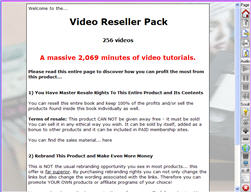
Read on for complete details...
Video Series Number 1:
How To Create A Minisite In 30 Minutes Or
Less
Videos Created by Louis Allport
These fourteen videos come to a total playing time of over three
hours: one-hundred and eighty-four (184) minutes in total. Here's a
quick run down of exactly what you get:
- Video One (7 Minutes) - In this video I'll talk you
through exactly what a minisite is and examples of successful
minisite designs
- Video Two (8 Minutes) - Here I'll show you where to get
the best 100% free web page creator.
- Video Three (28 Minutes) - In this video I'll talk you
step-by-step exactly how to easily create your first minisite. You
literally will have your first minisite made in the next thirty
minutes.
- Video Four (18 Minutes) - Here I'll show you how to
expand on your single page website to turn it into an easy to use
and very effective multi-page minisite.
- Video Five (17 Minutes) - In this video I'll talk you
through advanced formatting options and how to easily apply them
to your minisites
- Video Six (19 Minutes) - Here I'll talk you through how
to take a minisite for a "resale rights" product (a product you
have the right to sell - like this one) and easily customize it
with your own details so you can quickly be up and running and
making sales.
- Video Seven (9 Minutes) - In this video I'll talk you
through how to use FrontPage to create minisites. Now, FrontPage
isn't free of course, but if you have the software installed on
your computer, you'll find this video a great primer to using it
successfully for creating minisites.
- Video Eight (8 Minutes) - Here I'll talk you through
how to use DreamWeaver to create your own minisites. Now -
DreamWeaver isn't cheap and is really designed for professional
web designers, but if you're interested in learning this software
you'll find this video a great introduction.
- Video Nine (15 Minutes) In this video I'll show you how
small changes to your minisite pages can help bring you a lot of
free search engine traffic.
- Video Ten (9 Minutes) - Here I'll show you how to
instantly check that every link on your website is working as it
should. You'll find this tip a real time saver.
- Video Eleven (8 Minutes) - In this video I'll show you
where to get software 100% for free that allows you to copy your
web pages on to the internet.
- Video Twelve (19 Minutes) - Here I'll talk you through
step-by-step exactly how to get your web pages from your computer
to your website. This process is known as "FTP", and can be very
confusing if you're new to it. However, I'll talk you through
every single step to help you find the process quick and easy.
- Video Thirteen (5 Minutes) - In this video I'll talk
you through how to get your own unique "address" on the web, and
how to get it live and ready to receive visitors.
- Video Fourteen (14 Minutes) - Here I'll show you how to
quickly and easily create ClickBank and PayPal order links so you
can be up, running and taking orders from your minisite instantly.
Video Series Number 2:
29 Easy & Instant Web Design
Tricks
Videos Created by Louis Allport
These twenty-nine videos come to a total playing time of
one-hundred and thirty-two (132) minutes. Here's a quick run down of
exactly what you get:
- Video One (6 Minutes) - In this video you'll discover
how to highlight text on your site to bring more attention to it.
This is a tactic which I often use and it works an absolute treat.
- Video Two (11 Minutes) - Here I'll reveal a very little
known tactic for making your popup links work in ALL
circumstances. Very few people know this, but by not using it
you're potentially losing sales especially as more and more people
have popup blockers these days.
- Video Three (4 Minutes) - In this video I'll talk you
through how to give your images more context which also has the
benefit of potentially giving your pages more of a boost in the
search engines.
- Video Four (2 Minutes) - Here I'll show you how to use
the little-used "title" feature to make your links more likely to
be clicked (this also helps you with your search engine rankings).
- Video Five (4 Minutes) - In this video I'll talk you
through how to use the simple but extremely powerful "non breaking
space" feature.
- Video Six (2 Minutes) - Here I'll talk you through how
to add a "strikethrough" to your text.
- Video Seven (2 Minutes) - In this video I'll show you
how to space out your bulleted and numbered lists so that they're
easier to read.
- Video Eight (4 Minutes) - Here I'll talk you through a
very useful feature that most people don't use: Sub lists - how to
nest multiple bulleted and numbered lists one within the other.
- Video Nine (10 Minutes) - In this video I'll talk you
through a powerful yet under-used feature - how to apply advanced
visual formatting to buttons (multiple backgrounds, border
styles...).
- Video Ten (4 Minutes) - Here I'll show you the quick
and easy way to set up an instantly redirecting web page.
- Video Eleven (3 Minutes) - In this video I'll show you
how to underline text.
- Video Twelve (6 Minutes) - Here I'll talk you through a
very useful little trick: how to set the font for the entire page
with just four lines of code. This tactic helps your pages look
great, and also helps them load considerably faster.
- Video Thirteen (3 Minutes) - In this video I'll talk
you through how to add great looking borders to your graphics the
quick and easy way.
- Video Fourteen (4 Minutes) - Here I'll talk you through
how to easily set the width and height of your graphics and the
benefits this gives you.
- Video Fifteen (6 Minutes) - In this video I'll talk you
through how to validate your HTML (web code) for free and why this
is so important.
- Video Sixteen (3 Minutes) - Here I'll talk you through
a little know trick that you'll find very useful when linking to
affiliate sites.
- Video Seventeen (7 Minutes) - In this video I'll show
you how to encrypt affiliate links so your commissions don't get
stolen. Amazingly, some websites sell encryption software just
like this for $30 or more. I'll show you where to get it free as
an instant download.
- Video Eighteen (7 Minutes) - Here I'll talk you through
how to link to your ClickBank order pages using links and also
buttons.
- Video Nineteen (3 Minutes) - In this video I'll show
you how to add a button to your page that when pressed brings up a
popup.
- Video Twenty (6 Minutes) - Here I'll show you a very
powerful piece of code that allows you to automatically submit a
form on your website. This is pretty advanced and you may not find
many uses for this, but I've used it several times and find it
very, very useful. This is the first time I've shared it anywhere.
- Video Twenty-One (3 Minutes) - In this video I'll show
you how to add checkboxes to your pages and how you can use them
as a sales tactic.
- Video Twenty-Two (3 Minutes) - Here I'll show you how
to format checkboxes to help your pages stand out.
- Video Twenty-Three (6 Minutes) - In this video I'll
show you how to add "radio" buttons to your pages and how to use
them for multiple choice questions.
- Video Twenty-Four (6 Minutes) - Here I'll show you how
to easily format your radio buttons (multiple choice buttons) with
borders, backgrounds and multiple colors.
- Video Twenty-Five (3 Minutes) - In this video I'll show
you how to add an under-used but very powerful style of popup that
stops anyone leaving your site before they've read it! This tactic
alone can boost your sales and opt-ins considerably.
- Video Twenty-Six (3 Minutes) - Here I'll talk you
through how (and why) to import code into your web pages.
- Video Twenty-Seven (5 Minutes) - In this video I'll
show you an incredibly easy way to structure your pages, website,
and navigation. You can use this as an instant high-quality
template for your websites.
- Video Twenty-Eight (3 Minutes) - Here I'll talk you
through how to add one table within another on your page and when
this is beneficial.
- Video Twenty-Nine (3 Minutes) - In this video I'll talk
you through how to format table borders in multiple styles and
colors.
Video Series Number 3:
AN Extra 29 Easy & Instant Web Design
Tricks
Videos Created by Louis Allport
These twenty-nine videos come to a total playing time of over
three hours - two hundred and two minutes in total. Here's a quick
run down of exactly what you get:
- Video One (10 Minutes) - In this video you'll discover
how to create a popup that beats every blocker on the market.
- Video Two (9 Minutes) - Here I'll talk you through a
tactic that allows you to easily keep private areas of your
website out of the search engines.
- Video Three (6 Minutes) - In this video I'll talk you
through how to get all the PHP settings from your web site. Why is
this important? Well, if you ever buy or install scripts, knowing
this information is very important.
- Video Four (11 Minutes) - Here I'll reveal an
incredibly powerful tactic that allows you to redirect website
visitors depending on which site they came from.
- Video Five (14 Minutes) - In this video I'll show you
how to stop people linking to and stealing your graphics.
- Video Six (5 Minutes) - Here you'll discover how to add
password protection to a web page in literally sixty seconds or
less.
- Video Seven (6 Minutes) - In this video I'll talk you
through an advanced tactic that makes your JavaScript code
compatible with all your visitors.
- Video Eight (10 Minutes) - Here I'll show you how to
encrypt your JavaScript code - very important to help keep your
website secure.
- Video Nine (12 Minutes) - In this video I'll reveal a
very easy to use but also very powerful way to password protect
areas of your website.
- Video Ten (5 Minutes) - Here I'll show you how you can
fully customize your "Page Not Found" error messages.
- Video Eleven (12 Minutes) - In this video I'll talk you
through how to understand and start working with Server Side
Includes.
- Video Twelve (11 Minutes) - Here I'll talk you through
how to use Server Side Includes to import HTML code into any web
pages you choose.
- Video Thirteen (8 Minutes) - In this video you'll
discover how to use Server Side Includes and PHP code together.
- Video Fourteen (9 Minutes) - Here I'll talk you through
how to use Server Side Includes with any file extension you want.
- Video Fifteen (6 Minutes) - In this video I'll show you
how to use Server Side Includes to make changing your website
links very quick and easy.
- Video Sixteen (8 Minutes) - Here I'll talk you through
how to use the H1 tag together with CSS to help your page in the
search engine rankings - and - look great at the same time.
- Video Seventeen (4 Minutes) - In this video I follow on
from the last video and talk you through how to use the H2 tag
together with CSS to help your page in the search engine rankings
even more.
- Video Eighteen (9 Minutes) - Here I'll show you how to
create a great looking site map in literally two minutes.
- Video Nineteen (3 Minutes) - In this video you'll
discover how to add text input boxes to your pages.
- Video Twenty (2 Minutes) - Here you'll discover how to
limit how much text your website visitors can enter into your text
boxes.
- Video Twenty-One (2 Minutes) - In this video I'll show
you how to set a default value for your input text boxes.
- Video Twenty-Two (2 Minutes) - Here I'll show you how
to create a special type of input text box that's designed for
accepting passwords.
- Video Twenty-Three (4 Minutes) - In this video you'll
discover a neat trick that makes your input text boxes look a lot
nicer.
- Video Twenty-Four (5 Minutes) - Here I'll show you a
clever trick that makes your website links look far more
interesting.
- Video Twenty-Five (6 Minutes) - In this video you'll
discover how to prompt your visitor with a Yes/No question
whenever they click a link or button of your choosing.
- Video Twenty-Six (3 Minutes) - Here I'll show you how
to instantly hide the contents of private folders on your website.
This is an important security measure.
- Video Twenty-Seven (8 Minutes) - In this video you'll
discover how to disable folder listings. This is a somewhat
advanced but very useful tactic.
- Video Twenty-Eight (6 Minutes) - Here you'll discover a
little-known but very powerful way to set up instant redirects on
your website.
- Video Twenty-Nine (6 Minutes) - In this video you'll
discover how to easily add menus and sub-menus to your web pages.
Video Series Number 4:
Easy Steps To A Google Friendly
Page
Videos Created by Louis Allport
Here's exactly what you get in these sixteen powerful videos:
- Video One - In this video I'll talk you through the
difference of "On Page" and "Off Page" Search Engine Optimization,
and how to benefit from both.
- Video Two - Here I'll show you one simple change you
can make to your pages that will make them a lot easier for the
search engine spiders to read and understand. The effectiveness of
this simple change will surprise you.
- Video Three - In this video I'll show you how one
single element of the page can cost you very dear. You probably
don't even consider this when creating a page; most don't. But by
overlooking it you're losing a boatload of free traffic.
- Video Four - Here I'll show you how to boost the search
engine relevancy of your pages in literally eleven seconds flat.
- Video Five - In this video I'll show you how to
structure probably the most important section of your whole page.
So many people get this wrong, but with this video you'll know
better, and will find it much easier to list higher than your
competition!
- Video Six - Here I'll talk you through how to
effectively use "hidden tags" in your pages.
- Video Seven - In this video I'll show you how to easily
influence exactly which description text the search engines use
for your site.
- Video Eight - Here I'll talk you through one of the
most important HTML elements of your page that will help your
search engine rankings greatly.
- Video Nine - In this video you'll discover how to
structure your page text so it's exactly what the search engines
are looking for.
- Video Ten - Here you'll discover how to automatically
(and for free) check that you haven't over optimized your page
into what search engines consider "spam". I've seen software
selling for $100+ (amazing but true) that does this, but I'll
reveal where to get the same functionality for free.
- Video Eleven - In this video you'll discover a clever
way to instantly optimize your graphics for the search engines.
- Video Twelve - Here you'll discover the quick and easy
way to optimize all the links on your site for the search engines.
- Video Thirteen - In this video you'll discover a very
little known way to instantly boost the relevancy of your page
links.
- Video Fourteen - Here you'll discover the automatic way
to make sure the search engine spiders LOVE your pages.
- Video Fifteen - In this video I'll show you how to
easily avoid one of the biggest pitfalls ... that if you don't fix
now will lose you ranking and even get your site banned from the
search engines entirely!
- Video Sixteen - Here you'll discover what NOT to do on
your pages if you're serious about free search engine traffic.
Many people still use these outdated and downright dangerous
tactics on their pages thinking it will help them get more
traffic. In fact it does the exact opposite.
Video Series Number 5:
How To Build Huge Niche Keywords
Lists
Videos Created by Louis Allport
Here's what you'll immediately discover in these eleven videos:
- Video One -- 14 Minutes Long - In this video you'll
discover one of the most valuable free tools online for
researching niche keywords. You'll see how to find hundreds of
high quality, low competition keywords in just a couple of
minutes.
- Video Two -- 23 Minutes Long - Here I'll talk you
through three very powerful tools that will add hundreds of new
keyword phrases to your list quickly.
- Video Three -- 12 Minutes Long - In this video I'll
talk you through two online keyword research tools. You may
already be familiar with them, or perhaps not. But even if you
are, I'll show you how to get a lot more out of them quickly: One
simple tactic you'll discover can easily multiply the size of your
list by at least 500%!
- Video Four -- 6 Minutes Long - Here I'll talk you
through a legal, ethical, but little known way to get fantastic
keyword ideas from your competition!
- Video Five -- 4 Minutes Long - In this video I'll talk
you through how to find a wealth of hidden sites on any topic you
want to get keywords for. I'd wager your competition don't know
about this tactic and you'll have an instant advantage.
- Video Six -- 8 Minutes Long - Here I'll talk you
through probably the most powerful, free keyword database in
existence and how you can tap into it immediately to find niche
keyword terms people are searching for right now.
- Video Seven -- 7 Minutes Long - In this video you'll
discover a secret tactic that can grow your keyword list by 1,000%
in just five minutes. If you think that sounds crazy - you'll be
amazed when you see this video...
- Video Eight -- 9 Minutes Long - Here you'll discover
how to use a little known piece of software that can multiply the
size of your keyword phrase list dozens of times over. I'll show
you right in front of your eyes how I turn a 237 term keyword list
into a 10,443 term keyword list in less than two minutes!
- Video Nine -- 15 Minutes Long - In this video I'll show
you how to quickly, easily and automatically prepare your keyword
lists for Google Adwords.
- Video Ten -- 6 Minutes Long - Here I'll show you a
little known tactic for automatically creating new keyword
phrases.
- Video Eleven -- 5 Minutes Long - In this video I'll
show you how to organize your keyword lists for use (sorting
alphabetically, removing duplicates...) in less than two minutes.
Video Series Number 6:
Automatically Updating Content To Your
Website
Videos Created by Louis Allport
These nine videos come to a total playing time of eighty-nine
minutes. Here's a quick run down of exactly what you get:
- Video One (9 Minutes) - In this video I'll talk you
through how to recognize RSS feeds and where you can find some of
the best ones to use online.
- Video Two (11 Minutes) - Here I'll talk you through how
to find Amazon and ClickBank RSS product feeds that you can add
directly to your web sites. Some of these feeds can even be
automatically set up to include your affiliate link - so you can
profit with every click!
- Video Three (12 Minutes) - In this video I'll show you
the quickest and easiest way to add automatically updating RSS
feeds to your websites on a wide range of subjects. This is a
great way to get your feet wet with almost no fiddling around with
code needed at all.
- Video Four (14 Minutes) - Here I'll talk you through
how to create great formatted feeds from any RSS source, without
doing any HTML coding at all!
- Video Five (6 Minutes) - In this video I'll talk you
through an advanced tactic allowing you to use RSS feeds with
almost any kind of website.
- Video Six (14 Minutes) - Here I'll talk you through how
just a couple of lines of code added to any of your web pages can
instantly add a fully formatted RSS feed of your choice.
- Video Seven (13 Minutes) - In this video I'll talk you
through my favorite free RSS feed software (it's incredibly
powerful) and how to install it and start benefiting in just a
couple of minutes.
- Video Eight (5 Minutes) - Here I'll talk you through
how to quickly and easily apply formatting to your RSS feeds so
that they fit and match the look of your site (or even any other
look you may want).
- Video Nine (6 Minutes) - In this video I'll talk you
through how to fully customize your RSS feeds - how to choose the
number of headlines and descriptions that display, how to easily
apply advanced formatting to your feeds ... and much more!
Video Series Number 7:
Instant Adsense
Cash
Videos Created by Louis Allport
These eleven videos come to a total playing time of 137 minutes.
Here's a quick run down of exactly what you get:
- Video One (8 Minutes) - In this video I'll talk you
through how to choose the right domains for your sites and how to
get them at surprisingly low prices.
- Video Two (13 Minutes) - Here I'll talk you through how
to choose the best web host for your sites.
- Video Three (4 Minutes) - In this video I'll show you
how to get your website live on the net within minutes.
- Video Four (13 Minutes) - Here I'll talk you through
how to quickly and easily build huge targeted keyword lists.
- Video Five (7 Minutes) - In this video I'll talk you
through the vital yet often misunderstood step of setting up your
Traffic Equalizer website templates.
- Video Six (9 Minutes) - Here I'll talk you through how
to easily configure popups, ads and other options for your web
pages.
- Video Seven (6 Minutes) - In this video I'll show you
how by using Traffic Equalizer you can build a brand new web site
in less than ten minutes!
- Video Eight (13 Minutes) - Here I'll talk you through
some final website tweaks you'll want to make just before your web
pages go live.
- Video Nine (17 Minutes) - In this video I'll talk you
through what to consider when putting together the front page of
your website.
- Video Ten (21 Minutes) - Here I'll talk you through the
exact step by step system I use to get a brand new traffic-pulling
site online within twenty minutes.
- Video Eleven (26 Minutes) - In this video I'll talk you
through how you can get piles of high-quality free search engine
traffic the easy way
Video Series Number 8:
5 Easy Ways To Maximize Your AdSense
Commissions
Videos Created by Louis Allport
These ten videos come to a total playing time of 80 minutes.
Here's a quick run down of exactly what you get:
- Video One (4 Minutes) - In this video I reveal probably
the easiest way to increase your AdSense clicks immediately.
- Video Two (10 Minutes) - Here I talk you through how to
make simple but vital changes to your web pages if you want to
maximize your AdSense commissions.
- Video Three (12 Minutes) - In this video I talk you
through further ways you can structure your website pages to boost
your clicks and commissions.
- Video Four (4 Minutes) - Here I'll show you a little
known way to automatically test different AdSense units one
against the other to help you find what works best for your site.
Important: this tactic doesn't need you to buy, install or use any
third party software or services - what I show you is a little
known feature of Google that allows you to do automatic split
testing for your AdSense units and accurately track the results.
- Video Five (4 Minutes) - In this video I talk you
through how to customize your AdSense units for higher
commissions.
- Video Six (4 Minutes) - Here I reveal a very little
known tactic that has been shown to increase AdSense commissions
several times over.
- Video Seven (9 Minutes) - In this video I'll show you
how one easy web page formatting option can increase your AdSense
clicks many times over.
- Video Eight (5 Minutes) - Here I'll reveal why not
every AdSense click is made equal and why some AdSense clicks are
actually losing you profits.
- Video Nine (23 Minutes) - In this video I talk through
a powerful web design "trick" that can save you hours, even days
of work and which allows you to optimize your AdSense ad units
with just a couple of minutes of work.
- Video Ten (5 Minutes) - Here I'll reveal an often
overlooked but potentially hugely profitable option within your
AdSense control panel.
Video Series Number 9:
7 Fast Ways To Get Great Links To Your
Website
Videos Created by Louis Allport
Here's what you'll discover as soon as you get these seven in
depth videos:
- Video One -- 18 Minutes Long - In this first video
you'll discover a little known way to almost instantly get more
links back to your website. I've quietly been using this linking
tactic and have found it a very effective way to get a brand new
site into the search engines for free ... if you know what you're
doing. I wasn't sure whether I should share this tactic (for a
number of reasons), but as soon as you get this video I'm sure
you'll be glad I did.
- Video Two -- 18 Minutes Long - In this video you'll
discover an amazing way to set up good links to your own websites
for free. And even better - search engines love this tactic! This
may surprise you, but it's a tactic experienced search engine
marketers have been quietly using to quickly give their site a
real boost.
- Video Three -- 21 Minutes Long - Want hundreds of high
quality links back to your website in just a month or two? Well -
in this video I'll show you how to easily do that. Really savvy
marketers online have been using this tactic to profit big. I'm
really surprised more people don't use this to be honest.
- Video Four -- 23 Minutes Long - Now ... the linking
tactic in this video might surprise you. I use it and it works
well. Surprisingly well. And even if you're already aware of this
tactic, I'll show you how to apply it once (it takes just an hour
or two) and do it the right way so that your one time effort is
multiplied almost exponentially, leading to a mass of new websites
linking to you for months (even years) to come.
- Video Five -- 14 Minutes Long - Want to give your
search engine ranking a real shot in the arm? Then you need links
from PR6, 7, 8 ... even PR9 pages. And however out of reach that
may seem, you might be surprised at how easy it is to get them.
I'll reveal how in this video.
- Video Six -- 23 Minutes Long - The best high quality
links on the web are the ones you control. And in this video
you'll discover a proven tactic for getting very high quality
links into your websites, for as long as you want, in a way the
search engines love. And even better -- I'll show you how to be up
and running with this tactic in less than a day!
- Video Seven -- 11 Minutes Long - Long term linking
strategies are what will keep you at the top of the search engines
for years to come. In this video you'll discover the right way to
help keep your site high in the search engines. Many people abuse
this incredibly powerful tactic and find their sites penalized ...
if not banned from the search engines entirely. I'll show you two
very successful sites that use this tactic the right way - and how
you can too.
Video Series Number 10:
Instant Audio
Mastery
Videos Created by Louis Allport
Eight videos come to a total playing time of ninety-four minutes.
Here's a quick run down of exactly what you get:
- Video One (11 Minutes) - In this video I talk you
through how to get all the free software you need to start
recording and working with audio.
- Video Two (17 Minutes) - Here I'll talk you through how
to start getting to grips with using this audio software. And even
if you've never used audio software before, I'm sure you'll find
it surprisingly easy.
- Video Three (8 Minutes) - In this video I'll show you
how to record audio on your computer. Very important and
surprisingly easy.
- Video Four (13 Minutes) - Here I'll show you how to
export your audio into different formats including the very
popular MP3 format. And importantly - how to make sure your audio
is suitable for visitors on dial up connections and on broadband
connections.
- Video Five (8 Minutes) - In this video I'll talk you
through how you can edit and make changes to your audio so you can
have a huge amount of control on what you finally choose to
publish.
- Video Six (12 Minutes) - Here you'll discover how to
easily apply powerful effects to your audio so you can make it
louder, softer, add echo, give it a "bass boost", and much more
too...
- Video Seven (10 Minutes) - In this video I'll talk you
through how to add MP3's to your website so that your visitors can
download your audio and also even play the audio directly from
your website using a "play list" (few people know this trick).
- Video Eight (15 Minutes) - Here I'll talk you through
how to add Flash audio to your website. "Flash Audio" are the play
buttons you see on websites that often play audio automatically
when you visit. Some services offer you this for $30 a month but
I'll show you how to add it to your website for free.
Video Series Number 11:
How To Create Streaming Audio Buttons On
Your Website
Videos Created by Ameer Salim
5 videos. Here's a quick run down of exactly what you get:
- Video 1 - Introduction to streaming audios (from
Internet Marketing point of view
- Video 2 - Creating your audio files, converting them to
WAV/MP3 format, and converting them to audio buttons using MP3
Sound Stream
- Video 3 - Integrating your audio buttons on your
website
- Video 4 - Creating your audio files, converting them to
WAV/MP3 format, and converting them to audio buttons using Web
Audio Suite from ResellPal (Part 1)
- Video 5 - Creating your audio files, converting them to
WAV/MP3 format, and converting them to audio buttons using Web
Audio Suite from ResellPal (Part 2)
Video Series Number 12:
How to create your own blog for
free
Videos Created by Ameer Salim
6 videos. Here's a quick run down of exactly what you get:
- Video One (6 Minutes) - Introduction and registration
of your own blogger.com account
- Video Two (6 Minutes) - Editing your profile
- Video Three (12 Minutes) - Editing and customizing the
menu links
- Video Four (14 Minutes) - Posting messages on your blog
- Video Five (6 Minutes) - How to ftp your blog files to
your own server
- Video Six (6 Minutes) - Quick rundown of the basic
settings of the blog system
Video Series Number 13:
Instant Blog
Traffic
Videos Created by Louis Allport
These 12 videos come to a total playing time of 89 minutes.
Here's a quick run down of exactly what you get:
- Video One (7 Minutes) - In this video you'll discover
an overlooked traffic source that can literally bring you hundreds
of visitors a day, for free!
- Video Two (9 Minutes) - Here I'll reveal easy to apply
tactics that can quickly get dozens, even hundreds of links
pointing to your blog ... without you having to pay a dime!
- Video Three (3 Minutes) - In this video I'll talk
through a tactic that when used correctly has the ability to bring
your website hundreds of thousands of visitors (yes, really).
- Video Four (7 Minutes) - Here I'll talk through a
controversial tactic that if you're feeling brave enough to use
it, can get hundreds of links pointing to your blog, almost
instantly.
- Video Five (4 Minutes) - In this video I'll talk
through an underused tactic that is almost guaranteed to get
dozens, even hundreds of links pointing to your blog - if - you
know how to use it the right way.
- Video Six (4 Minutes) - Here you'll discover a dead
easy tactic that can quickly get dozens of links pointing to your
blog.
- Video Seven (4 Minutes) - In this video you'll discover
a style of blog post that if done right can get you thousands of
visitors, often even in less than 24 hours from the moment you
publish it.
- Video Eight (5 Minutes) - Here you'll discover the
simple secret blogs have used to get tens of thousands of visitors
in just hours.
- Video Nine (6 Minutes) - In this video I'll talk
through yet another very simple tactic you can use to get tens of
thousands of visitors to your blog in just hours
- Video Ten (12 Minutes) - Here I'll talk you through an
easy to apply yet incredibly powerful tactic that can vastly
increase the amount of repeat visitors you get to your blog (and
no - I'm not talking about starting an email opt in list...)
- Video Eleven (7 Minutes) - In this video I'll talk you
through how to use and benefit from blog directories.
- Video Twelve (21 Minutes) - Here I'll talk you through
dead easy to apply search engine optimization tricks that can
massively increase the amount of free traffic you get to your
blogs.
Video Series Number 14:
How To Get A Lot More Google Traffic For
Free
Videos Created by Louis Allport
These eight videos come to a total playing time of 73 minutes.
Here's a quick run down of what is inside this download
- Video One (6 Minutes) - In this video you'll discover
little-known tactics for getting stacks of free traffic from the
very popular Google News.
- Video Two (9 Minutes) - Here you'll discover how small
changes to the graphics on your website can bring you a LOT more
free traffic.
- Video Three (18 Minutes) - In this video you'll
discover how to get up and running with Google Sitemaps in the
next 15 minutes (very important if you want MORE Google traffic).
- Video Four (7 Minutes) - Here I'll talk you through
some amazing tactics sites are using to get stacks of free traffic
from Google Video.
- Video Five (10 Minutes) - In this video I'll talk you
through one of Google's newest areas that many people are ignoring
- but - if you know the secret you can get piles of free visitors
from it. I'll also show you one site's private tactic that is
driving thousands of visitors to their sites for free
- Video Six (5 Minutes) - Here I'll talk you through how
to get free traffic through Google's popular price comparison
search engine
- Video Seven (8 Minutes) - In this video I'll talk you
through a dead easy tactic you can start using right now to bring
free visitors to your site. It works immediately.
- Video Eight (10 Minutes) - Here I'll talk you through
how if you sell any types of books, eBooks or reports online, you
can boost your vis
Video Series Number 15:
How To Create Profit-Pulling
Toolbars
Videos Created by Louis Allport
Twenty-five videos (they come to 207 minutes in total). Here's a
quick run down of exactly what you get:
- Video One (9 Minutes) - In this video I'll talk you
through a wide range of popular toolbars you can install and how
to use them for your own ideas and research purposes.
- Video Two (9 Minutes) Here I'll talk you through how
you can get great ideas for your own toolbars from Google and
eBay.
- Video Three (10 Minutes) - In this video I'll talk you
through how the Ask, Dogpile and Alexa toolbars can give you a
huge amount of ideas.
- Video Four (6 Minutes) - Here I'll show you how you
(and your users) will be able to quickly, easily and effortlessly
install and uninstall your toolbar.
- Video Five (7 Minutes) - In this video you'll discover
how it takes just one minute to instantly update your toolbar on
every single computer it's installed on!
- Video Six (2 Minutes) - Here I'll show you how to
create a blank text file to get your toolbar creation process
rolling ...
- Video Seven (8 Minutes) - In this video I'll talk you
through the easy way to structure your toolbar code. Even if
you're not technical at all, you'll find it quick and easy.
- Video Eight (16 Minutes) - Here I'll show you how to
start adding your own unique text to a toolbar. You can also add
graphics if you like.
- Video Nine (17 Minutes) - In this video I'll show you
how to add buttons to your toolbar which can contain both graphics
and text. You'll also discover how to create a button that when
clicked redirects the user to a web address of your choosing.
- Video Ten (5 Minutes) - Here I'll show you how to add
uninstall functionality to your toolbar. Even though you want your
users to keep your toolbar installed for good, it's important you
give them the choice.
- Video Eleven (6 Minutes) - In this video I'll talk you
through how to add the powerful Zoom In and Zoom Out features to
your toolbar.
- Video Twelve (18 Minutes) - Here I'll show you how to
add search functionality to your toolbar. You can set your toolbar
up with as many search engines as you like to give your users tons
of choice. You can even profit from this feature by sending your
users to pay-per-click search engines where you get a percentage
of each click. This is an advanced, powerful and profitable
feature. I'll show you how to add this step by step.
- Video Thirteen (5 Minutes) - In this video I'll show
you how to add a drop-list menu to your toolbar if you would like.
This way, rather than your users typing in what they're searching
for, they simply choose it from a list.
- Video Fourteen (10 Minutes) - Here I'll show you how to
add "highlight text" functionality to your toolbar. This is a very
useful feature that allows your users to easily "find" (highlight)
any text on the page that they want to.
- Video Fifteen (6 Minutes) - In this video I'll show you
how to add "Clear Search History" functionality to your toolbar.
With this feature, your users can clear the previous searches that
they've done through the toolbar.
- Video Sixteen (9 Minutes) - Here I'll show you how to
add the Clear Cookies functionality to your toolbar. Depending
what kind of toolbar you're looking to create, you might find this
a useful and powerful feature to add to your toolbar.
- Video Seventeen (6 Minutes) - In this video I'll show
you how to add the "Clear Internet Explorer - Temporary Files"
feature to your toolbar. You can use whatever text you like with
this feature
- Video Eighteen (16 Minutes) - Here I'll talk you
step-by-step how to add a powerful and flexible popup blocker to
your toolbar. It can be turned on and off by the user, and it can
even update automatically so that it shows how many popups have
been blocked so far.
- Video Nineteen (2 Minutes) - In this short video I'll
show you how to add separators to your toolbar. Here's an example
of a separator added between two buttons:
- Video Twenty (5 Minutes) - Here I'll talk you through
the important difference between Single and Split style menus for
your toolbar. These two types of menus have different purposes,
and you can choose at any time which is best for what you want
from the toolbar.
- Video Twenty-One (7 Minutes) - In this video I'll show
you how to choose between a Split and Single style menu when
you're creating your toolbar code. It's dead easy.
- Video Twenty-Two (8 Minutes) - Here I'll show you how
to add as many unique menu items as you like to your menus.
- Video Twenty-Three (7 Minutes) - In this video I'll
show you how to add as many extra menus and even sub-menus to your
toolbar as you want. Sub-menus allow you to fit even more features
and functionality onto your toolbar.
- Video Twenty-Four (7 Minutes) - Here I'll talk you
through in more detail the structure of these toolbar menus and
how to quickly set up as many as you would like.
- Video Twenty-Five (6 Minutes) - In this video I'll show
you how you can use menus to run commands like highlighting text,
uninstalling the toolbar ... this will make your menus and toolbar
even more powerful and flexible.
Video Series Number 16:
Instant Software
Products
Videos Created by Louis Allport
These eight videos come to a total playing time of 92 minutes.
Here's a quick run down of exactly what you get:
- Video One (12 Minutes) - In this video I'll show you
exactly the software I had created with just a $125 investment
which has since been sold thousands of times!
- Video Two (10 Minutes) - Here I'll talk you through my
private software creation process which I've never revealed
before.
- Video Three (5 Minutes) - In this video I'll reveal the
quick and easy tactic I use for coming up with great software
ideas.
- Video Four (10 Minutes) - Here I'll talk you through
what you need to know to choose the right programmer for your
project, and how to make sure they get the project done on time,
on budget, and to the highest quality.
- Video Five (10 Minutes) - In this video I'll talk you
through an often overlooked, but absolutely vital step in the
software creation process.
- Video Six (16 Minutes) - Here I'll show you exactly how
I take the code the programmer creates and turn it into software I
can successfully sell.
- Video Seven (13 Minutes) - In this video I'll show you
an easy way to add passwords to your software and offer your
customers "advanced features" for an extra fee.
- Video Eight (16 Minutes) - Here I talk you through an
exact and detailed step by step demonstration of taking software
code and turning it into something you can successfully sell ...
you'll see exactly how I do this for my own software and how easy
the process is if you know how.
Video Series Number 17:
How To Secretly Spy On Your Internet
Competition
Videos Created by Louis Allport
These eighteen videos come to a total playing time of almost two
hours: one-hundred and fourteen (114) minutes in total. Here's a
quick run down of exactly what you get:
- Video One (9 Minutes) - In this video you'll discover
how to find out exactly who owns a website, and how long they've
owned it for.
- Video Two (5 Minutes) - Here I'll show you how to
quickly and easily find how a website has changed over time.
- Video Three (6 Minutes) - In this video I'll show you
how to find exactly how many (and what kind of) pages make up a
site. What you discover here is often very surprising.
- Video Four (9 Minutes) - Here I'll show you how to find
exactly who's linking to a website, and how to automatically track
this information over time.
- Video Five (5 Minutes) - In this video you'll discover
how to find the Page Rank of any page - without - using the Google
toolbar.
- Video Six (11 Minutes) - Here I'll show you one of the
most surprising and powerful pieces of information you'll ever
come across - exactly how much traffic a website is getting, where
that traffic is coming from, how long each visitor is staying on
the site ... and much more. The depth of this publicly available
information (if you know where to look) will really surprise you.
- Video Seven (3 Minutes) - In this video I'll show you
how to find all the PDF documents on any website you choose.
- Video Eight (7 Minutes) - Here I'll show you a little
known way to find out exactly which web host a competitor is
using.
- Video Nine (5 Minutes) - In this video I'll show you
how to use Alexa to find how much traffic a website is getting -
and - very importantly, what you must keep in mind whenever you
look at any Alexa statistics.
- Video Ten (10 Minutes) - Here I'll show you a publicly
available database that can tell you exactly which kind of
products are making the most money right now.
- Video Eleven (5 Minutes) - In this video I'll show you
how to find exactly what products your competition are selling on
the popular Froogle search engine.
- Video Twelve (7 Minutes) - Here I'll show you how
websites can hide offers and information from you, and how to
easily get around this so you can discover exactly what they're up
to.
- Video Thirteen (5 Minutes) - In this video I'll show
you a little known way to find out how popular a blog or
newsletter is.
- Video Fourteen (5 Minutes) - Here I'll show you an easy
way to list all the title text on a competitors website.
- Video Fifteen (9 Minutes) - In this video I'll show you
how to easily create keyword lists (with the help of your
competition) and how to expand them into thousands of terms
quickly.
- Video Sixteen (5 Minutes) - Here I'll show a very quick
and easy way to find which websites your competition own but are
keeping private. In this video I use this tactic on Google.com
with very surprising results.
- Video Seventeen (5 Minutes) - In this video I'll show
you how to find out how much publicity your competitors are
getting.
- Video Eighteen (3 Minutes) - Here I'll show you how to
find exactly where in the world any IP (internet address) is from.
Over 256 Individual
Videos and More Then 2,069 Minutes Of Viewing Time
This Is A Humongous Package Guaranteed To Massively Short-Cut Your
Learning Curve...
Just download one book and store it on your computer and you will
have access to a treasure chest of valuable video tutorials you can
access at anytime. For example - you find yourself creating a
website and forget how to create a nice yellow color in the headline
to emphasis a point (as in the headline above), then all you have to
do is open up your Video Resellers Pack, look up the page that has
that particular tutorial and watch the video. Problem solved!
Plus I have a few surprise advanced videos demonstrating proven
systems for generating income almost on autopilot!
Plus You Get:
Full Master Resale
RightsYou get master resale rights to this product and
this very same salesletter complete with the video as well.
So you can use the videos yourself as well as sell them to
your own customers. This is what I referred to earlier as
making money while helping others! These video tutorials will
indeed help anyone leapfrog the huge Internet marketing
learning curve.
|
The Best Part Of All Is That You Can Have All This For An
Incredible Small Investment Of Just $49.97 $29.97
Look at
it this way -- $29.97 is really a painless drop in the bucket to be
able to get your hands on and start using these incredible video
tutorials right away to improve your Internet marketing
knowledge!
You Really Can’t Afford Not To Invest In
“The
Video Resell Pack” It's easy to get started right away.

Click above to order right now
for only $49.97 $29.97 (even if it’s 3:00 am in the morning).
Don't you owe it to yourself to try
today?
Sincerely,

Jay Casif,
EarnMoneyTools.com
P.S. Remember there
is over 254 videos consisting of a minimum of 2,069 Minutes of easy
to follow tutorials.
P.P.S You also
get full master resale rights to the products plus this salesletter as well!
|